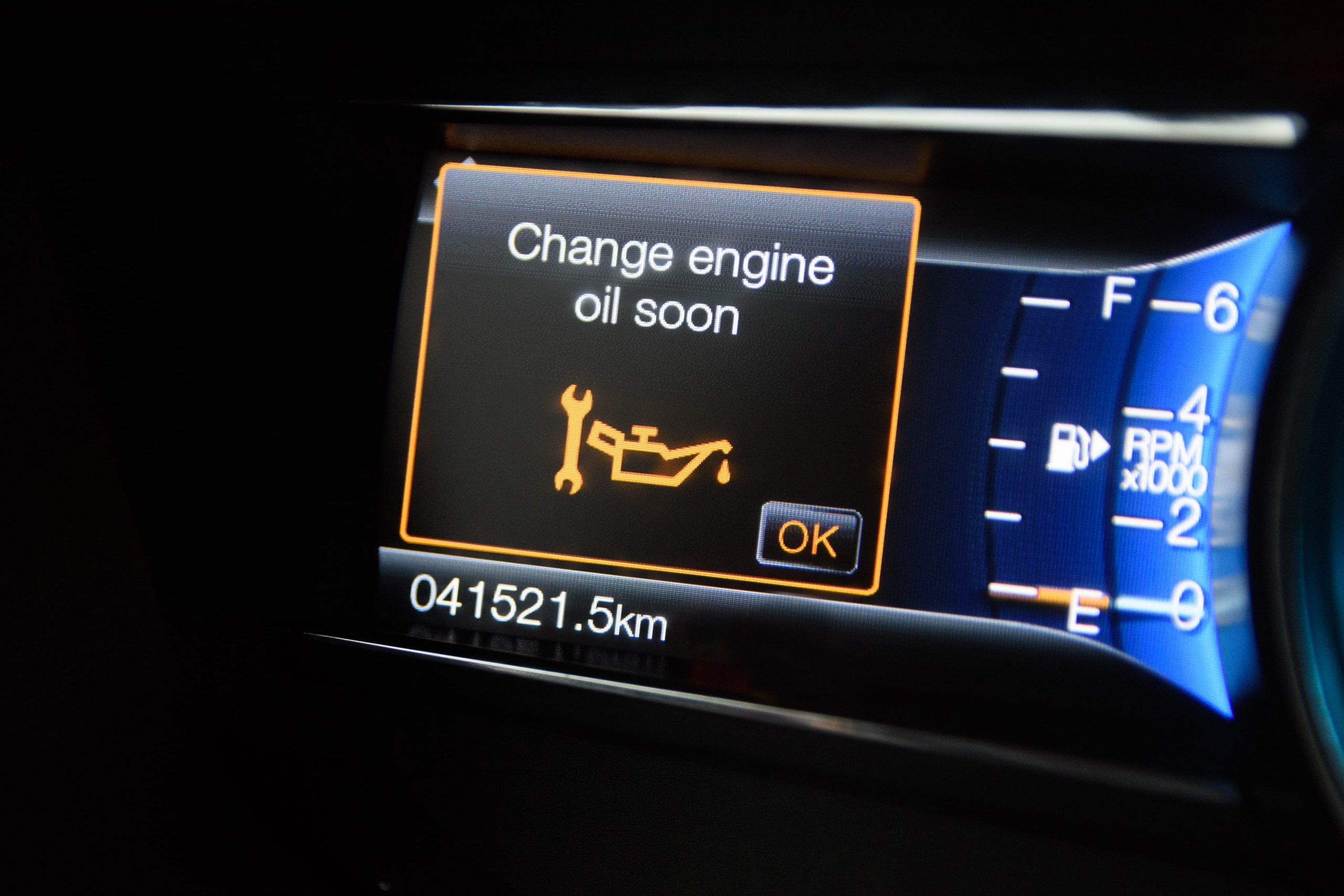
Your 2025 Nissan Altima, Sentra, or Frontier is designed to keep you moving with confidence—but when that oil change light shows up on your dashboard, it’s time to take action. Resetting the oil maintenance reminder after an oil change isn’t just about clearing a warning; it’s about making sure your Nissan’s maintenance system stays accurate and reliable for the road ahead.
In this guide, we’ll break down exactly how to clear the oil change light on your 2025 Nissan, whether you’re using the dashboard controls, performing a manual reset, or relying on an OBD-II scanner. These steps are simple, fast, and can save you a trip to the shop.
Prefer to leave it to the experts? Nissan of Mission Hills is here to help. Give us a call or stop by—we proudly serve drivers from Granada Hills, Sylmar, Pacoima, and beyond with expert service and personalized care for every Nissan on the road.
Resetting the Oil Change Light Using Dashboard Controls
If you’ve just had your oil changed, your next step is to clear the oil change light. This quick reset helps your Nissan keep track of service needs. On most 2025 models, like the Nissan Frontier, this can be done in just a few minutes using the dashboard controls.
Here’s how to do it step by step:
How to Clear the Oil Change Light on Your Nissan Using Dashboard Controls
Follow these easy steps. You don’t need tools or tech skill—just a few presses of a button.
- Turn on the ignition
- Press the START button twice.
- Don’t press the brake pedal.
- This puts your car in the "On" mode without starting the engine.
- Use the steering wheel buttons
- Look for the left or right arrows.
- Press them to move through the screen menu.
- Open the settings menu
- Find and select the gear icon or a menu labeled “Settings.”
- Go to “Maintenance”
- Scroll until you find “Maintenance.”
- Press OK or Enter.
- Select “Oil and Filter”
- This will show when your last oil change was done.
- It may also show your current oil life.
- Press “Reset”
- Select the reset option.
- Confirm by selecting “Yes” when asked.
- Start the engine
- Make sure the oil light is now off.
Quick Tips
- These steps work for many 2025 Nissan models.
- If the menu looks different, check your owner’s manual.
- If your oil light stays on, you may need to try the steps again.
Manual Reset Method for Older or Simpler Nissan Models
Not every Nissan comes with a digital menu or touch screen. Some 2025 models, like certain trims of the Altima, use a manual reset method. This option is just as easy and takes less than a minute to do. You won’t need tools or a scanner—just your key and your foot.
If you’re trying to reset the oil light on a Nissan 2025 model without digital settings, follow the steps below.
How to Manually Reset the Oil Light
Use this method for simpler models or if the screen reset option is not available:
- Turn on the ignition
- Insert your key or press START twice.
- Do not press the brake pedal.
- Make sure the engine does not start.
- Press the gas pedal three times
- Push the pedal all the way down.
- Release it each time.
- Do all three presses within 10 seconds.
- Turn off the ignition
- Wait a few seconds.
- Start the engine to check if the light is gone.
When to Use This Method
This reset works best for models that:
- Have no touch screen or scroll menus
- Show a basic maintenance light, not oil life percent
- Are older or come with simpler trim levels
Using an OBD-II Scanner to Clear the Nissan Oil Change Light
Some Nissan models, like the 2025 Sentra, may not allow you to turn off the oil maintenance reminder through simple menu steps. If that’s the case, using an OBD-II scanner is your best option. This tool plugs into your car and can help you clear many types of alerts, including the oil change light.
This method is quick, safe, and does not require you to take the car apart or guess your way through menus.
Steps to Use an OBD-II Scanner
Follow these easy steps to reset your oil light with a scanner:
- Locate the OBD-II port
- Look below the dash, near the steering column.
- The port may be covered with a small cap.
- No tools are needed to access it.
- Plug in the scanner
- Make sure the scanner is fully connected.
- Some tools may beep or light up when ready.
- Turn the ignition on
- Press START twice without pressing the brake.
- This powers up the system but does not start the car.
- Navigate the scanner menu
- Use the arrow keys to find “Oil Life” or “Service Reset.”
- Select the option to reset or clear the oil change alert.
- Confirm when asked.
- Start the engine
- Check that the oil reminder is off.
- If not, repeat the steps or check for error codes.
When to Use This Method
An OBD-II scanner is best when:
- The dashboard menu does not have a reset option
- You want to check for other system codes
- You’re working on more than one vehicle
What Triggers the Oil Change Light on Your 2025 Nissan
The oil change light in your 2025 Nissan is more than just a timer. It’s a smart system that tracks how your engine is doing. If you drive a Nissan Frontier or any other model in the lineup, knowing what causes the light to come on can help you stay ahead of service needs.
This alert is there to protect your engine. When it comes on, it’s time to take a closer look.
Common Reasons the Oil Change Light Turns On
Several factors can trigger the oil light in your Frontier or other Nissan models:
- Mileage driven
Most systems are set to remind you after 3,000 to 7,500 miles. - Time since last oil change
Even if you drive less, old oil breaks down over time. - Driving conditions
Short trips, stop-and-go traffic, or towing can cause oil to wear out faster. - Engine load and heat
High heat or stress puts more demand on the oil. - Oil quality and level
Low oil or using poor-quality oil can trigger a warning.
Smart Tracking in Newer Models
Your 2025 Nissan uses sensors to track how hard your engine works. This data helps the system know when your oil may be wearing out. It’s not just about miles—it’s about how the car is used.
If you tow, idle often, or drive in hot weather, your Nissan may alert you sooner.
Why You Should Never Ignore the Oil Light
The clear Nissan oil change light is there to warn you before real problems start. Ignoring it can lead to:
- Lower gas mileage
- More engine wear
- A higher chance of breakdown
- Costly repairs later on
Troubleshooting: What to Do if the Light Won’t Turn Off
You’ve followed every step. You tried to reset the oil light on your 2025 Nissan Altima. But the light is still on. When this happens, it can be frustrating. Don't worry—there are a few simple things to check before heading to a service center.
Try the Reset Again
Sometimes, the reset process needs to be repeated. Try again and double-check each step.
- Turn the ignition to the ON position (do not start the car).
- Go to the Maintenance menu using the controls on the wheel.
- Select Oil and Filter.
- Choose Reset and confirm.
- Start the engine to see if the light is off.
If that does not work, move on to the next steps.
Check for Common Mistakes
A few small errors can stop the reset from working:
- Pressing the wrong button — Be sure you’re using the correct control on the dash or wheel.
- Wrong timing — For manual reset, the pedal must be pressed three times within 10 seconds.
- Incomplete service — The system may not reset if the oil or filter was not changed.
Possible Electrical or System Issues
If the reset does not work after many tries, there may be a problem with the car's system:
- Faulty sensor — The oil sensor may need to be replaced.
- Software glitch — In rare cases, a reset error can occur.
- Worn-out button or screen — Older controls may stop working right.
When to Get Expert Help
If your Altima’s light still stays on, it’s time to speak with a certified tech. Don’t ignore the issue. A service pro can:
- Diagnose the system with a scanner
- Fix or replace any faulty parts
- Ensure the oil and filter meet specs
For peace of mind, visit Nissan of Mission Hills. Our team knows how to reset oil light issues on the 2025 Altima and more. We’ll help you get back on the road fast, with no guesswork.
Frequently Asked Questions About Clearing the Oil Change Light
Where in the 2025 Nissan’s infotainment system can I find the reset option?
In the 2025 Nissan, the reset option can be found in the Maintenance section of the settings menu on the infotainment system. You can navigate to it using the controls on the steering wheel.
Do I need any special tools to clear the oil change light on a Nissan?
No, you do not need any special tools. Most models, including the 2025 Nissan, allow you to reset the oil change light using the dashboard controls or the infotainment system. However, for more advanced options, an OBD-II scanner can also be used.
Will the light reset automatically once I’ve changed the oil?
No, the oil change light does not reset automatically after an oil change. You will need to manually reset it through the dashboard controls or the infotainment system once the oil change is completed.
How do I verify the oil change light has been successfully cleared?
To verify, simply start the engine. If the light goes off and stays off, the reset was successful. If the light remains on, repeat the reset process or consult a technician for further assistance.
Ready to Reset Your Oil Change Light? Visit Nissan of Mission Hills for More!
At Nissan of Mission Hills, we hope this guide has helped you better understand how to clear the oil change light on your 2025 Nissan. If you have any further questions or need assistance with your vehicle, feel free to contact us. Our team is always ready to help you, whether you're from Granada Hills, Sylmar, Pacoima, or the surrounding areas.
If you're in the market for a new vehicle, come explore our wide selection, including the rugged Frontier, the stylish Altima, and the dependable Sentra. We have something for every driver.
While you're here, don’t miss out on some of our other helpful content. If you're curious about how off-roading affects your oil, check out oil change for off-roading. We also cover key tips in our guide on jacking up your car for an oil change. And to learn how weather impacts your oil, take a look at weather and your oil.
Visit us today or contact us for more information!